

Use this if you want to…
 Polish your app before a launch, a demo, or an investor meeting.
 Catch the small stuff (clumsy wording, loud buttons, confusing labels) before your users do.
 Ship a big batch of fixes without reading every line of code yourself.
 Check your product for accessibility problems and fix them.
 Hand a teammate or client a clean report they can approve one item at a time.
- My Cabinet already runs a swarm of 70 AI agents. I aimed them at my own product.
- I installed one cabinet, Audits, which puts a product specialist in the lead, with a method and a ready-made folder setup.
- I told it to think like @nikitabier: make the app great, not just okay.
- It opened my product in Chrome, looked at every screen, and wrote up 65 problems, one file each.
- It picked the most important ones, fixed them, and saved each fix as its own commit.
- Then it built me a review app: one card per fix. Each one shows what was wrong, what changed, and the screenshot, with pass / fail / skip / comment.
- I sat back and approved 60 changes like clearing a to-do list. The rejects went back to the swarm with my notes.
I’ve written software for 20 years and never seen anything like it. The hard part of product work was never the building, it was the reviewing and the taste. Give a good agent both, and a full afternoon of polish shrinks to an hour.

The hard part was never the building
Every founder knows this feeling: the product is okay. It works. But it’s a hundred tiny things, a greeting that reads “Good morning, You,” a button that shouts when it shouldn’t, a number in the corner with no label. None is worth a ticket on its own. Together, they’re the gap between “okay” and “wow.”
These don’t get fixed because the work is boring, not because it’s hard. Someone has to find each one, write it down, fix it, and then check 60 changes by hand. That’s the real bottleneck, not the coding.
The bar isn’t “does it match the spec.” The bar is “would a competitor copy this.”
That line matters. The agent doesn’t grade your app against a checklist. It grades it against the best apps out there: Linear’s command palette, Stripe’s checkout, Duolingo’s streak, Netflix’s autoplay. So the fixes don’t just close a bug; they raise the bar. I handed the whole loop (look, fix, review) to one agent. Here’s how, step by step, so you can run it on your own product by the end of this post.

The setupOne cabinet. One agent. One method.
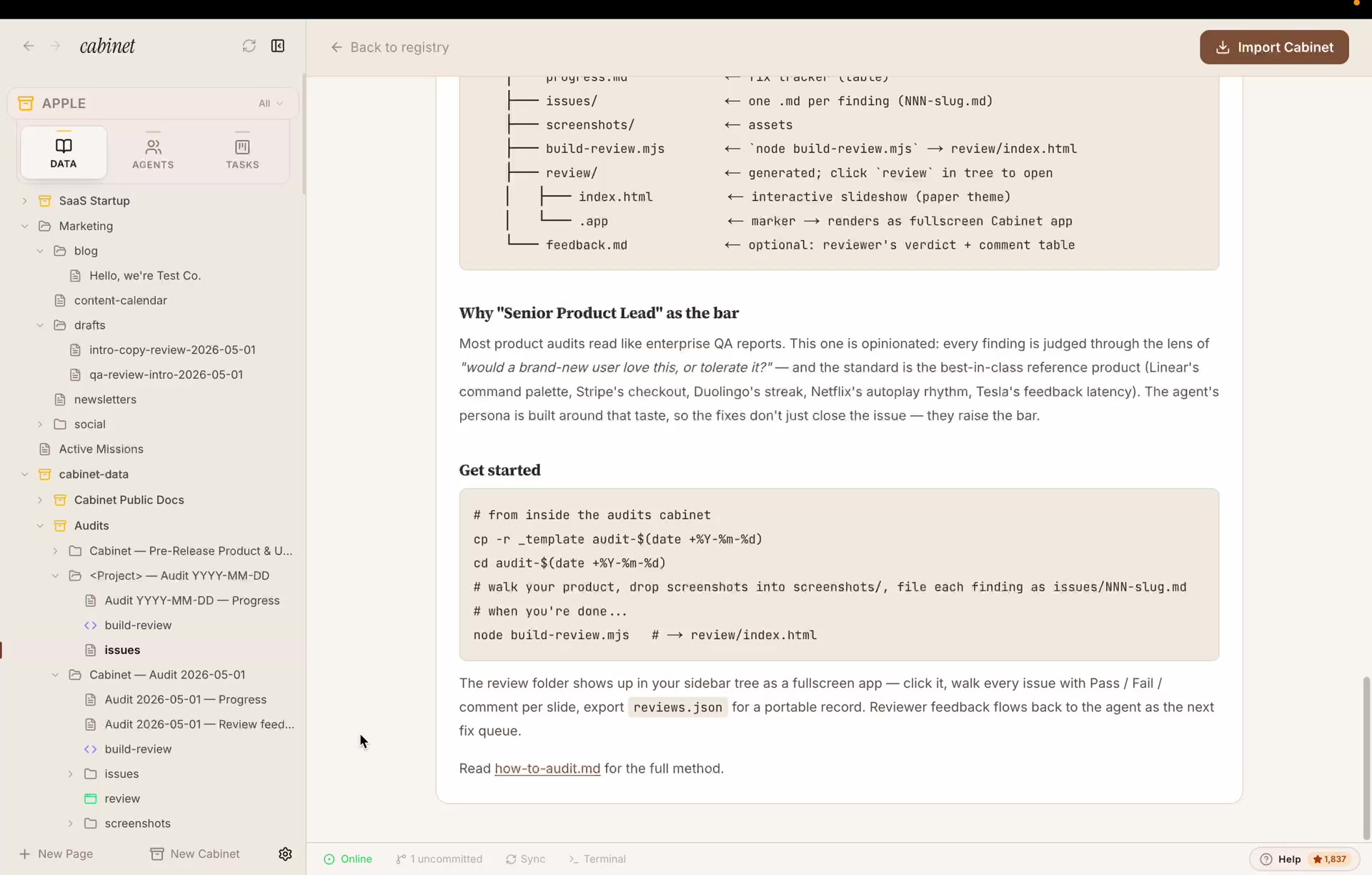
In Cabinet, a cabinet is a ready-made workspace you import in one click. It brings its own agent, its own jobs, its own folders, and its own instructions. The Audits cabinet does one job: go through a product, write up every problem as a file, fix them to a high bar, and hand you a review app at the end.
When you import it, you get three things:
- A method, a doc called
how-to-audit.mdthat tells the agent how to look: which screens to open and in what order (home → main flows → empty states → errors → edge cases → accessibility → speed), and how to write up each problem. - An agent, Product Senior, a senior product lead with a 20-year bar. It picks up open problems, fixes them, writes down what it changed, and saves one commit per fix.
- A folder setup, a template you copy to start a new audit, plus a one-command tool that turns the whole thing into a shareable review app.
The folders are simple. Every problem is one file. Every screenshot sits next to it. One command builds the review app:
# from inside the audits cabinet
cp -r _template audit-2026-05-01   ← start a fresh audit
cd audit-2026-05-01

# the agent walks your product, drops screenshots into screenshots/,
# and files each problem as issues/NNN-name.md

node build-review.mjs             → builds review/index.html
It also sets up two jobs that run on their own: an Audit fix loop every weekday morning, and a weekly status summary. So the cleanup keeps going even when you’re not watching.

Step 1Point the swarm at your product
This is the only prompt that needs any real thought. Cabinet already has a swarm of agents on call, for the audit I put one specialist in the lead and told it who to be and how high to aim, not what to fix. Naming Nikita Bier isn’t a gimmick; it sets the taste. “Make it as good as Nikita would” gets a very different result than “find bugs.”
You are my head of product. Think like Nikita Bier (product at X): your
job is to make Cabinet genuinely great, not just okay.

Use the Audits cabinet. Open the live product in Chrome and walk every
surface in the order from how-to-audit.md:
cold-boot → primary flows → empty states → errors → edge cases → a11y → perf.
Screenshot as you go.

File every friction you find as its own markdown issue in issues/, using
the template format, one issue per file, each with: a severity (P1-P3),
an area code, what's wrong, and why it costs the user.

Don't fix anything yet. The bar isn't "matches the spec." The bar is
"this is the version a competitor will copy."

Step 2It looks at every screen and writes up the problems
This is where it stops feeling like a chatbot. The agent opens a real browser, takes a screenshot of every screen, and saves one file per problem. Not a wall of text, a clear, repeatable format. Each file gets an ID, how serious it is (P1-P3), and a tag for the area (HOME, NAV, COPY, EDIT, A11Y…). That structure is what makes everything after this possible.
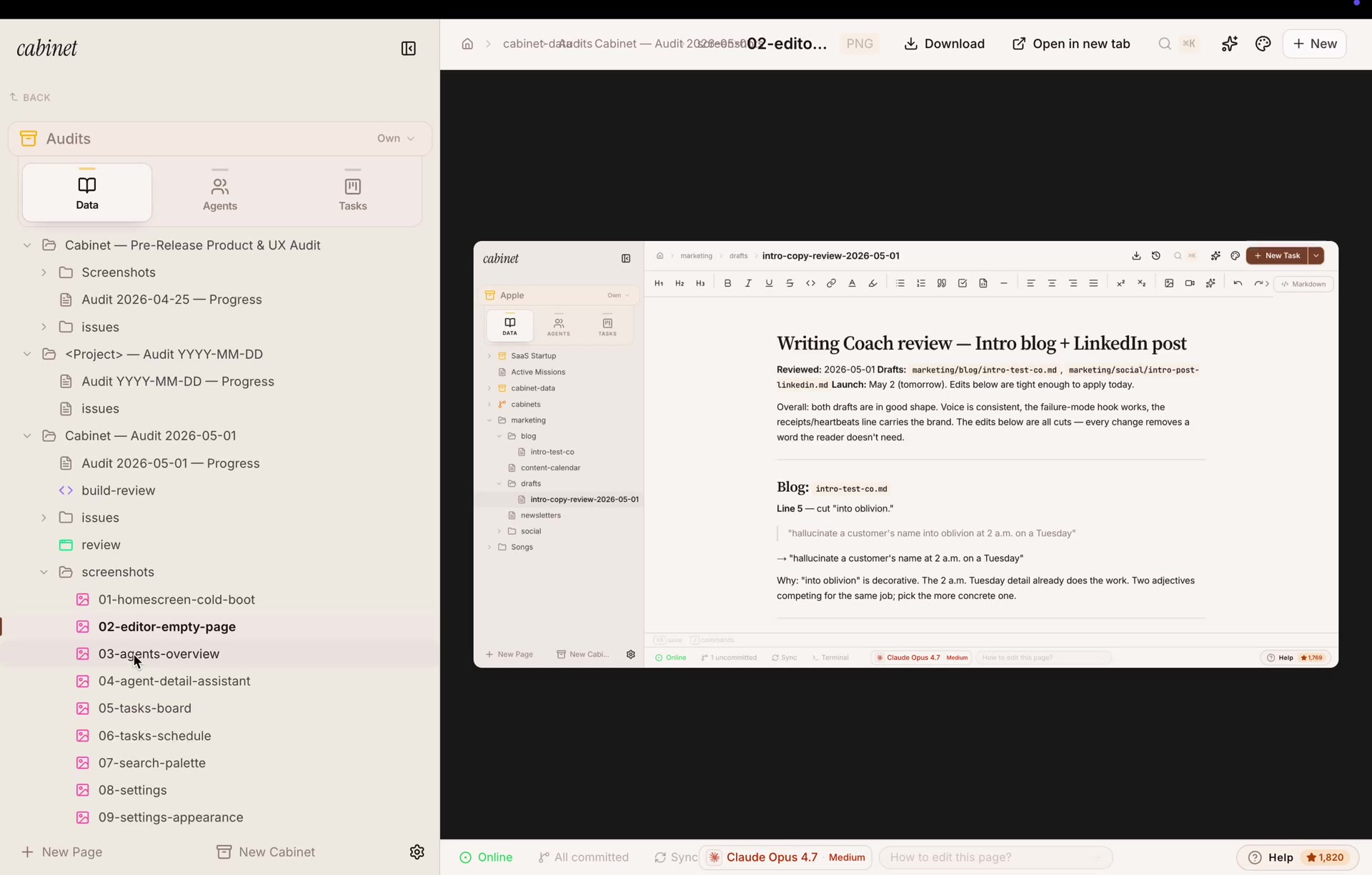
Each file says what it saw, how to reproduce it, and what to do about it. Here’s a real one:
Sixty-five came back. A few real ones, word for word:
#001 · P1 · HOME, the “Good morning, You.” greeting reads like a placeholder someone forgot to fill in, and it’s the first thing every user sees.#004 · P3 · STATUS, the★ 1,769in the corner has no label, so a new user can’t tell it’s GitHub stars.#014 · P2 · EDIT, a bright orange “+ New Task” is the loudest button in the editor, where it doesn’t belong.#033 · P2 · EDIT, a one-click “Delete all 37 tasks” trash icon sits in the toolbar with nothing to stop a mistake.
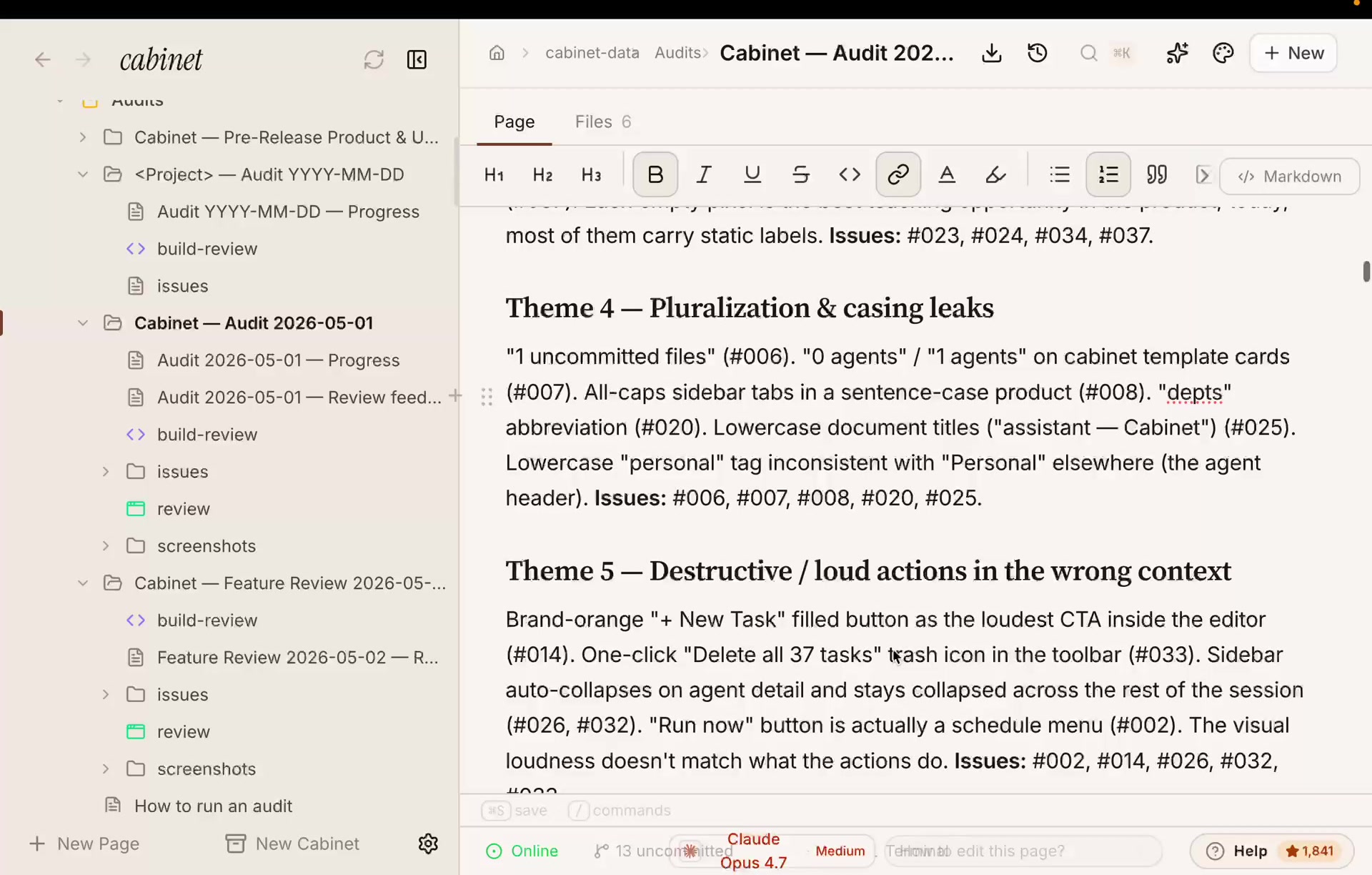
Then it groups everything into themes, so the report reads like real product feedback, not a list of nitpicks:

Step 3It picks the fixes that matter most
65 problems is just a list. A plan is knowing which 10 to do first. So I asked for that. The smartest thing it did was spot root causes, fix one, and four other problems go away on their own.
Read every open issue and write "Top 10 things I would fix this week",
the highest-leverage findings, ranked. Call out any root-cause issue that
closes multiple findings at once. Put it at the top of the audit page.
Here’s what it wrote, cleaned up so it’s easy to read:
Top 10 things I would fix this week
The 10 highest-leverage findings, closing them moves the perceived quality of Cabinet more than the next 30 combined.
#039, Settings → Profile: Name defaults to literal “You.” Root cause of #001 / #017 / #027 / #065, fixing this one removes four findings at once.#001, “Good morning, You.” greeting, the first thing every user reads, and it reads as a forgotten placeholder.#051, No onboarding tour on first run. Cabinet’s mental model is novel; users dropped on the home page learn ~10% of the value.#027, Persona instructions hold a stale cabinet name. A correctness bug, agents speak the wrong cabinet name in their outputs. Templating is the fix.#019, Team-schedule calendar reads “did not run” on every past row. Looks broken even when everything ran fine.
…and five more. The full list lives on the audit page.
Step 4It fixes them, one commit at a time
Now the Product Senior agent gets to work. For each problem it writes the fix in the real code, notes the exact file and line it changed, adds a line to the progress tracker, and saves one commit per fix. That last part is the quiet hero: every change is easy to read on its own, and easy to undo if you don’t like it.
Hand the open issues to @product-senior. For each status: open issue:
ship the fix, fill in the issue's ## Resolution section with the file:line
you changed, append a line to progress.md, and commit, one issue per
commit. Work top-down from the Top 10.
Here’s a real note it left behind, for the unlabeled star count (#004):
src/components/layout/status-bar.tsx:842, added
title="X GitHub stars, open Help & community menu to star Cabinet"
to the star count pill. The pill stays inside the Help button, which already opens a “Star on GitHub” popover, so no separate click target was needed.
Step 5It builds me an app to approve everything
This is the part that still surprises me. Instead of handing me 60 code changes to read, the agent built me a small web app. One card per fix: what was wrong, what changed (with the exact file and line), the screenshot, and four buttons, pass, fail, skip, comment. Your answers save as you go, a summary view adds them all up, and one button exports the whole thing.
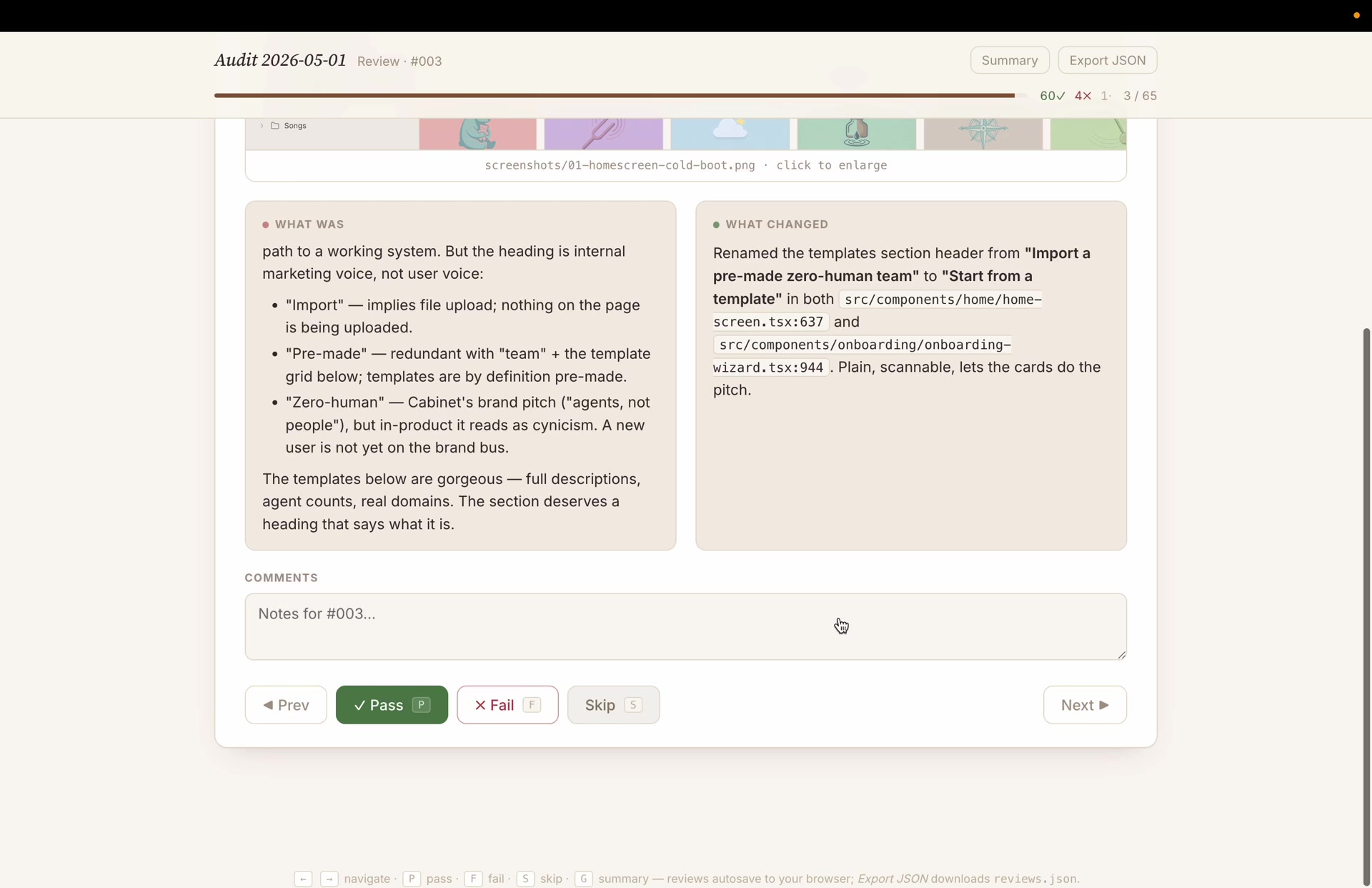
And here’s the thing, it’s just HTML. So I dropped a working slice of it right into this post. Use your keyboard: P pass, F fail, S skip, ← → to move, G for the summary. Your verdicts save in your browser.
Step 6I approve, and the rejects loop back
Reviewing stopped being a chore. Approve the ones it nailed. Reject the ones it didn’t, and your note becomes the new instruction. Skip anything you want to look at later. In one sitting: 60 approved, 4 rejected, 1 saved for later.
The rejections are the interesting part, that’s where my taste wins over the agent’s. Real notes from the run:
#005Fail, “currently the size is too small. i liked the size before, just make it responsive.”#008Fail, “No, revert the caps, and make the cabinet name (e.g. ‘Apple’) use caps too.”#012Fail, “don’t change that, I liked the single scrollable row + gradient fade.”
Then I close the loop with one message. The approved fixes are done. Every rejected one goes back to the agent with my note as the new instruction, and it tries again.
Here are my review verdicts (reviews.json attached). For every Fail,
reopen the issue, treat my comment as the new requirement, and re-ship,
then regenerate the review app for just those. Leave every Pass as-is.
That’s the whole loop: look → plan → fix → review → repeat. And because the cabinet runs an Audit fix loop on its own, you can leave it going, it keeps clearing open problems every weekday morning and sends a weekly summary, with no prompting from you.

The lesson isn’t “AI is magic”
It’s that the two things that really decide product quality, noticing what’s wrong and deciding what’s right, can now be handed off and organized. The agent does the noticing and the building. You keep the deciding. A code review turns into a dashboard you clear in an afternoon.
This was one specialist agent. Your Cabinet runs a whole swarm, so you can point this same loop at every product and surface you own, and let them work in parallel. Here’s how to get the cabinet.