Notion vs Cabinet: which workspace do you own?
Notion is a polished cloud workspace, and in 2026 an agent platform too: its homepage now reads "Where teams and agents think together." The pages still live in Notion's cloud, as blocks in Notion's format. Cabinet is the same ambition with the opposite ownership: company knowledge as files on your infrastructure, agents working in them on schedules, and live dashboards rendered from what your team knows.
Last reviewed August 2026 against public pricing and docs.
Choose Cabinet if
- You want your knowledge as Markdown files you own, not rows in someone else's database.
- You want AI agents that read and write your docs on a schedule, with your own model keys.
- Self-hosting and no vendor lock-in are requirements, not nice-to-haves.
Stick with Notion if
- You want a fully managed SaaS with zero setup and no infrastructure to run.
- Your team leans daily on real-time multiplayer editing and polished mobile apps.
Self-hosted · your data stays yours · bring your own AI
The core difference
Notion is a cloud wiki. Cabinet is a knowledge OS you own.
In Notion, your pages live as blocks in their database, in their cloud. It is fast and polished, but the data is theirs to hold and yours to export. AI assists you inside the editor, but it does not run your work for you.
In Cabinet, your whole knowledge base lives in one place you own: files on your disk you can grep, git, and back up, with live apps and dashboards rendered right next to your docs. AI agents read and write those files directly, on a schedule, using model accounts you already pay for.
Both let a team write things down. Only one of them hands you the files, lets your team work in them together, and lets agents act on them.
Where Cabinet wins
Three things Notion cannot do
Your knowledge lives on disk
Every doc is Markdown in a folder you own. No proprietary block format, no export step, no vendor holding your knowledge hostage. Search it with grep, version it with git, back it up like any other folder.
knowledge/
  customers/
    acme.md
  playbooks/
    onboarding.md
Agents that run on a schedule
Notion AI helps when you ask. Cabinet agents work when you do not. Attach a routine to an agent and it runs every morning, every Friday, or on every change, reading and writing the same files your team does.
# .jobs/morning-brief.yaml
when: "0 7 * * *"
agent: chief-of-staff
prompt: Brief me on what moved overnight.
Knowledge that renders as software
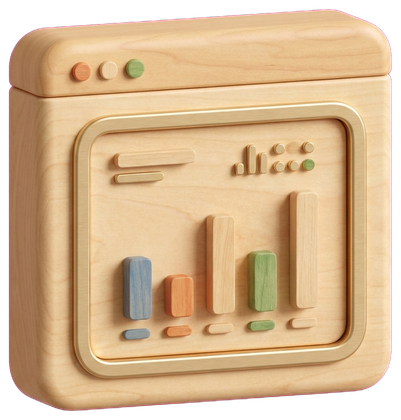
Build and visualize live web apps and dashboards next to your docs, and drop into a real web terminal when you need one. A page is one view of knowledge. Cabinet renders the working views too.
Feature by feature
Cabinet vs Notion, side by side
The features that actually decide this, including the ones where Notion comes out ahead.
| Feature | Cabinet | Notion |
|---|---|---|
| Markdown files on disk you own | Included | Not included |
| Self-hosted | Included | Not included |
| Works local-first / offlineNotion caches for offline but is cloud-bound. | Included | Partial |
| AI agents that read and write your docsNotion AI assists in-editor; it is not an autonomous agent. | Included | Partial |
| Scheduled, always-on agent routines | Included | Not included |
| Bring your own AI model keys | Included | Not included |
| Visualize web apps and dashboards | Included | Not included |
| Web terminal | Included | Not included |
| WYSIWYG editor | Included | Included |
| Git-backed version historyNotion keeps page history in its own format. | Included | Partial |
| No vendor lock-in | Included | Not included |
| Real-time multiplayer editing | Partial | Included |
| Mature mobile apps | Partial | Included |
Being honest
When Notion is the better choice
- You want a fully managed product with zero setup and nothing to host or maintain.
- Your team depends on Notion's real-time multiplayer editing and polished mobile apps every day.
- You want a large template and integration marketplace available out of the box.
Moving from Notion is mostly a copy
Export your Notion workspace as Markdown and CSV, then drop it into a Cabinet folder. Because it is already Markdown, it stays grep-able and git-tracked from the first day, and your agents can start reading it immediately.
Questions
Cabinet vs Notion, answered
Is Cabinet a good Notion alternative?
Yes, if you want your knowledge as files you own with AI agents that act on it. Cabinet keeps your whole knowledge base as files on disk you own, runs self-hosted, and lets agents read and write your docs on a schedule. Notion remains the better pick if you want a fully managed cloud product with heavy real-time multiplayer.
Can I import my Notion content into Cabinet?
Yes. Export your Notion pages as Markdown and CSV and drop them into a Cabinet folder. The content stays as plain Markdown you can grep and version with git.
Is Cabinet really self-hosted?
Yes. Cabinet runs on your machine or your own cloud. Your knowledge never has to leave your infrastructure, and inference runs through model keys you control.
Does Cabinet have AI like Notion AI?
Cabinet goes further. Instead of an in-editor assistant, you get agents with goals and schedules that read and write your files, using the model accounts you already pay for.
Is Cabinet free?
Cabinet is free to self-host. A hosted Cabinet Cloud is on the way for teams that prefer not to run it themselves.
Sources
Where these facts come from
Claims on this page are checked against public sources, last reviewed August 2026. Spotted something out of date? Tell us at hi@runcabinet.com and we will fix it.
Own your knowledge. Keep your AI. Start free.
Run Cabinet in minutes, or get a guided walkthrough. Your files, your models, your infrastructure.
Keep comparing