
GitLab Dev Brief
v0.1.1Every morning, what you shipped and what's waiting on you across GitLab in the last 24 hours.
GitLab Dev Brief
agents
GitLab Briefer
.agents/gitlab-briefer/
Morning GitLab Brief
0 9 * * *
1
Agents
1
Jobs
1
Depts
2
Pages
Reads the last 24 hours of the user's own GitLab work and writes one short page saying what they shipped and what is still sitting on them.
GitLab Dev Brief
Every morning, what you shipped and what's waiting on you across GitLab in the last 24 hours.
What you get
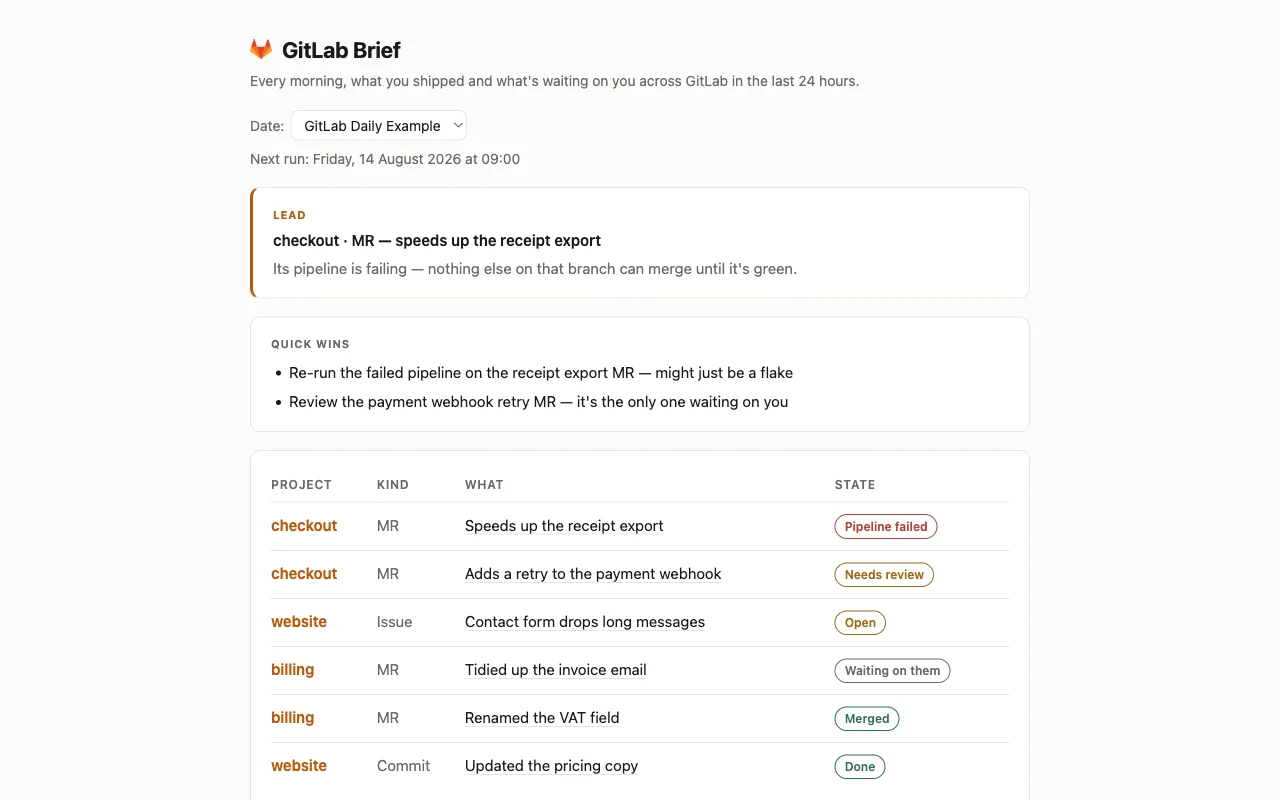
One page, waiting for you at 9. Everything with your name on it from yesterday gets one line, the project, whether it is a commit, a merge request or an issue, what it actually does in plain words, and where it stands. The things sitting on you sit at the top: a build that went red overnight, a review someone is waiting for, an issue nobody else will pick up. What already merged is further down, so you can see you got something done.
Your work, not the whole project. Not a firehose of every push: your commits, your merge requests, the ones waiting on your review, and the issues you opened or were assigned, across every project you touch, so a quiet side project turns up on the morning it needs you.
Nothing is commented on, opened, closed, approved or merged. It only reads.
How to look at it
Open the GitLab Brief app in this cabinet. It comes pre-filled with a made-up example so you can see the shape of it straight away, and says clearly that those projects are fake.
An honest warning about GitLab specifically
This template does not work end to end yet, and that is deliberate.
The GitLab connector itself is finished and works. What hasn't happened is the switch being flipped: GitLab is not offered under Integrations in Cabinet yet, so there is nothing for you to connect to. This cabinet is written as though there were, and waits.
So what actually happens when you install it:
- It installs cleanly. Nothing errors, nothing breaks.
- The 9am routine runs, finds there is no GitLab to read, says so, writes nothing at all, and leaves the example alone rather than wiping it.
- The example brief stays on screen until GitLab is offered.
When it is, you connect GitLab from Integrations in Cabinet, or when Cabinet asks (your company's server, or gitlab.com), and this page starts filling in by itself.
If you want this exact brief reading live data today, install GitHub Dev Brief instead. It is the same page for the other forge, and GitHub can be connected right now.
What's inside
- GitLab Briefer: the one agent. Reads yesterday's work, writes the brief.
- Morning GitLab Brief: the one routine. Runs at 09:00 every day.
- GitLab Brief: the one page. Opens on today, with a dropdown for earlier days.
$ git clone --filter=blob:none --sparse https://github.com/cabinetai/cabinets.git && cd cabinets && git sparse-checkout set gitlab-dev-brief