
Good Morning
v0.2.0One morning page from the apps you pick, out of everything you connected to Cabinet.
Good Morning
agents
Morning Reporter
.agents/morning-reporter/
Morning Report
0 7 * * *
1
Agents
1
Jobs
1
Depts
3
Pages
Each morning reads the apps the person picked out of everything they connected, and writes one page with a short section per app. Read only, everywhere.
Good Morning
One morning page from the apps you pick: mail, calendar, money, whatever you add next.
What you get
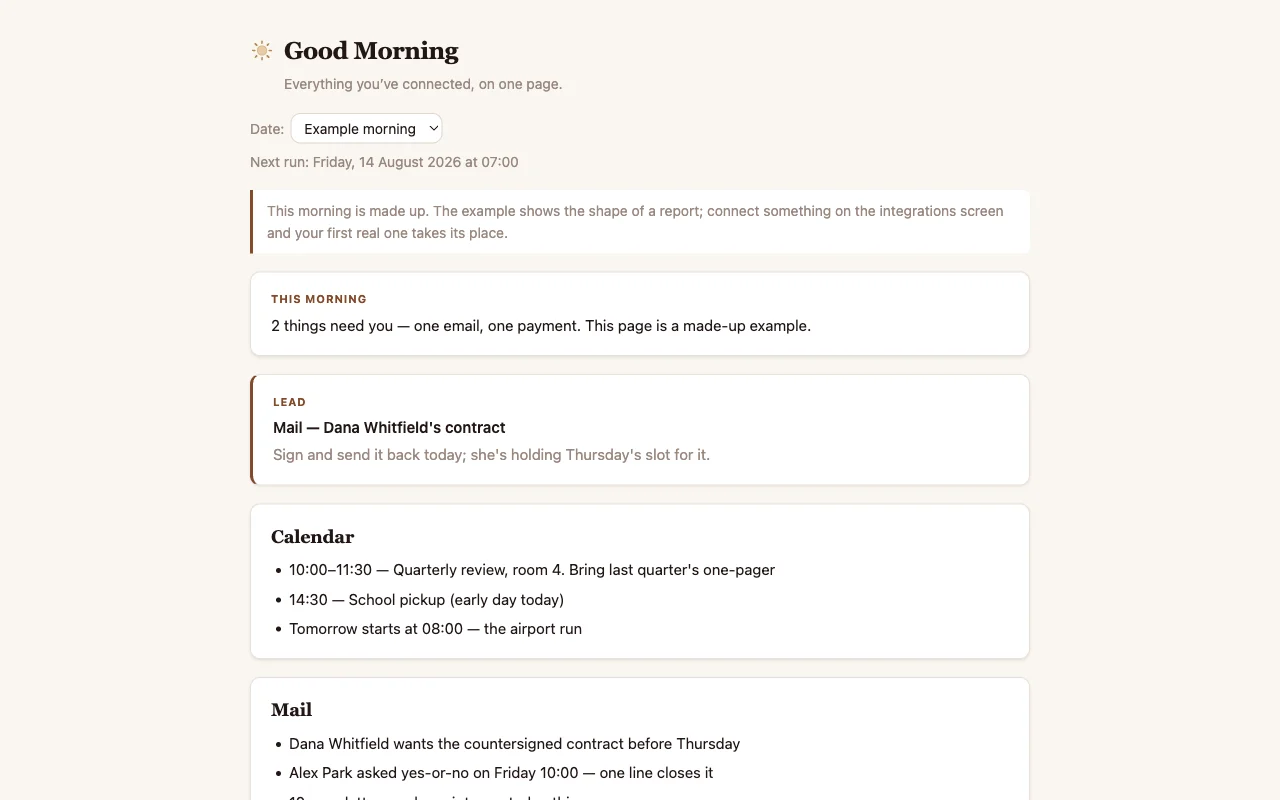
The first time you open the Report app, it lists every app you connected to Cabinet and you pick the ones you want. At 07:00 a routine reads those apps and writes one page with a short section per app: what arrived in your mail, what today holds in your calendar, what happened to your money, what moved in your repos or channels. Each section ends in one honest line. Most of them, most days, say "nothing needs you."
The page grows with you. Connect something new and the page names it with an Add to my mornings button; tick it and tomorrow's report has one more section. Change apps, at the bottom of every morning, takes you back to the list.
Make it yours
Pick your apps on the Report page. Then open setup.md in this cabinet and replace
the example answers: what order you want the sections in, what counts as urgent for you. Plain
sentences are perfect. The routine reads it before every report, so a correction
tonight is obeyed tomorrow morning.
How to look at it
Open the Report app in this cabinet. It starts pre-filled with a made-up example so you can see the shape, and the page says plainly that it's fake. Your first real morning takes its place.
Connecting things
Everything connects from Integrations in Cabinet. Each app has its own page there that says what it needs and walks you through it, and you do each one once. The report only ever includes apps you picked that are actually connected, and its last section always says in one line what it looked at and what it couldn't reach, so a quiet report is never hiding a broken connection.
What's inside
- Morning Reporter: the one agent. Reads the apps you picked, writes the page.
- Morning Report: the one routine. Runs at 07:00 every day.
- Report: the one page. Picks your apps the first time, then opens on today, with arrows for earlier days.
- setup.md: your answers. The report is generic until this makes it yours.
$ git clone --filter=blob:none --sparse https://github.com/cabinetai/cabinets.git && cd cabinets && git sparse-checkout set good-morning