
Microsoft 365 Brief
v0.1.1Every morning, your whole day across Microsoft 365 on one page.
Microsoft 365 Brief
agents
Day Briefer
.agents/day-briefer/
Morning Day Brief
0 7 * * *
1
Agents
1
Jobs
1
Depts
2
Pages
Reads today across Microsoft 365 and writes one short page saying how the user's day actually looks.
Microsoft 365 Brief
Every morning, your whole day across Microsoft 365 on one page.
What you get
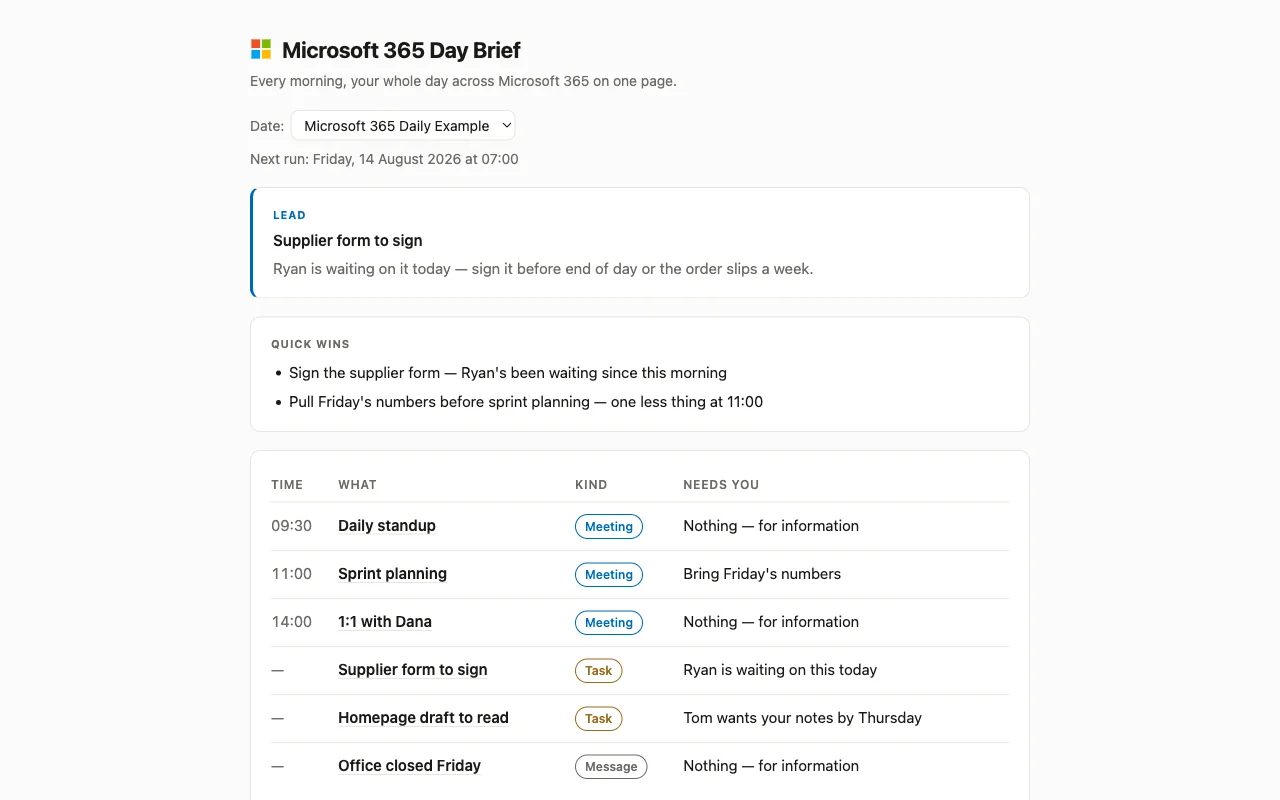
One page, waiting for you at 7. Today's meetings sit at the top in time order, and everything with no clock on it follows underneath, the thing someone is waiting on you for, the mail that landed overnight, the file that changed while you were away. One line each, and each line says in a few words what it wants from you.
Meetings, work and news on one list is the point. You stop opening the calendar, then Outlook, then Teams, then the shared folder, and assembling your own day out of four tabs.
The morning routine only reads. It never sends mail, never touches an event, never posts to Teams.
How to look at it
Open the Day Brief app in this cabinet. It comes pre-filled with a made-up example so you can see the shape of it straight away. The page says clearly that those lines are fake. Your first real brief takes its place.
Before it can read your real account
Connect Microsoft 365 from Integrations in Cabinet, or when Cabinet asks. On a work or school account your IT department may have to allow it first, because they decide which apps can read company mail.
Teams, OneDrive and SharePoint all connect through this same Microsoft 365 connection, so one connection covers the lot.
Until you connect, the page keeps showing the example.
What's inside
- Day Briefer: the one agent. Reads the day, writes the brief.
- Morning Day Brief: the one routine. Runs at 07:00 every day.
- Day Brief: the one page. Opens on today, with a dropdown for earlier days.
$ git clone --filter=blob:none --sparse https://github.com/cabinetai/cabinets.git && cd cabinets && git sparse-checkout set microsoft-365-brief