
Week Ahead
v0.1.1Sunday evening — your week laid out, clashes flagged, prep noted.
Week Ahead
agents
Week Planner
.agents/week-planner/
Sunday Week Ahead
0 17 * * 0
1
Agents
1
Jobs
1
Depts
3
Pages
Reads the coming week in Google Calendar every Sunday and writes one page laying it out, with clashes flagged and prep noted.
Week Ahead
Sunday evening: your week laid out, clashes flagged, prep noted.
What you get
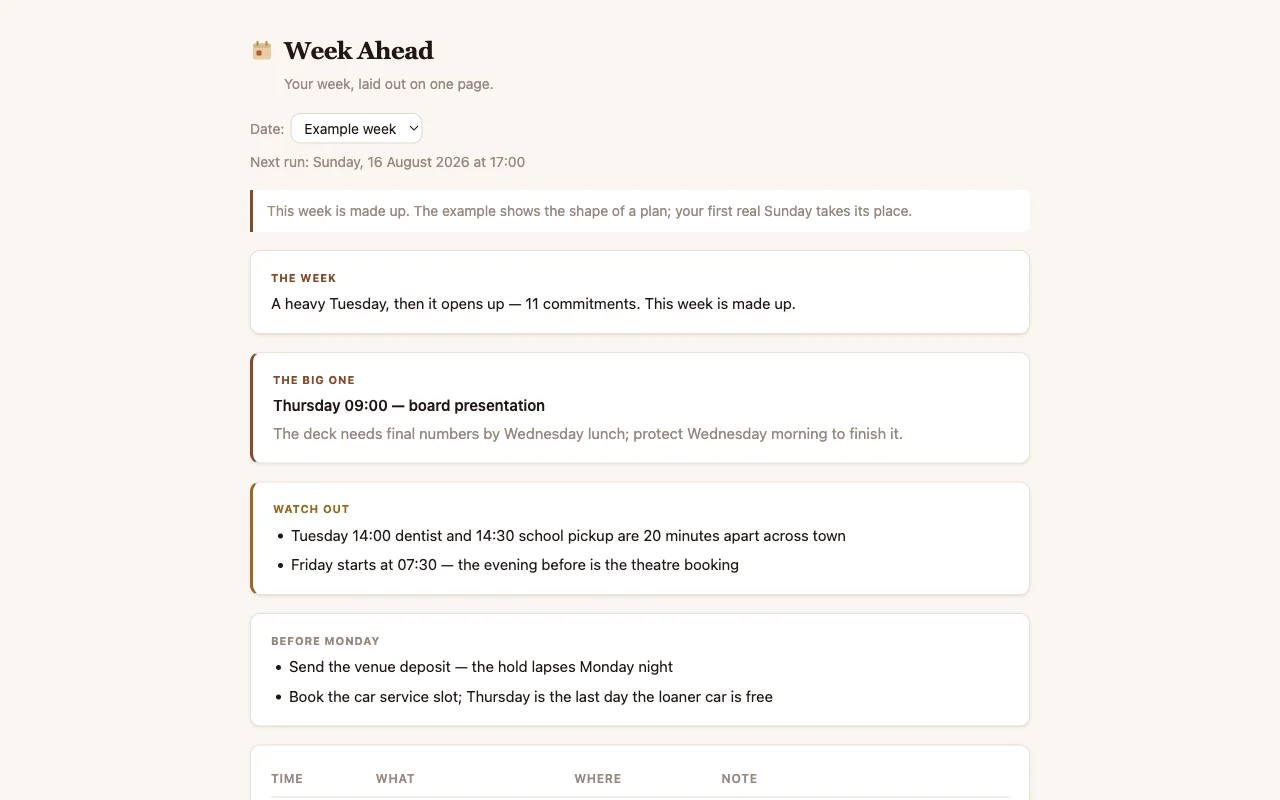
At 17:00 every Sunday a routine reads the coming week in your calendar and writes one page: every commitment day by day, anything that clashes or lands too close together, and the small preparations worth doing before Monday makes them urgent. You read it once on Sunday and walk into the week already knowing its shape.
Nothing is created, moved, accepted or declined. It only reads.
How to look at it
Open the Week app in this cabinet. It starts pre-filled with a made-up example week so you can see the shape straight away, and the page says plainly that those plans are fake. Your first real Sunday takes its place.
Before it can read your real calendar
Connect Google Calendar when Cabinet asks, or later from Integrations. You do it once.
Cabinet's own way in is a private address: Google Calendar's settings give every calendar a secret web address, and you copy one and paste it in. The Google Calendar page in Integrations shows you where it is. Your team can then read your calendar. It cannot change anything in it.
If you already connected Google Calendar to Claude, on claude.ai, Cabinet sees that too and the routine can read your week that way instead. That connection is managed on claude.ai, not here, and it only works when this cabinet runs on Claude.
Until Google Calendar is connected one way or the other, the page keeps showing the example and the Sunday routine waits.
If the page still shows the example
The routine only writes when it can actually reach your calendar. If it has run and the example is still sitting there, Google Calendar is not connected yet. Nothing was overwritten and nothing errored. Fix the connection and run the routine again.
What's inside
- Week Planner: the one agent. Reads the coming week, writes the page.
- Sunday Week Ahead: the one routine. Runs at 17:00 every Sunday.
- Week: the one page. Opens on the current week, with a dropdown for earlier ones.
- setup.md: your calendars, protected time and travel reality. Read before every plan.
$ git clone --filter=blob:none --sparse https://github.com/cabinetai/cabinets.git && cd cabinets && git sparse-checkout set week-ahead